Android Integration via ADB
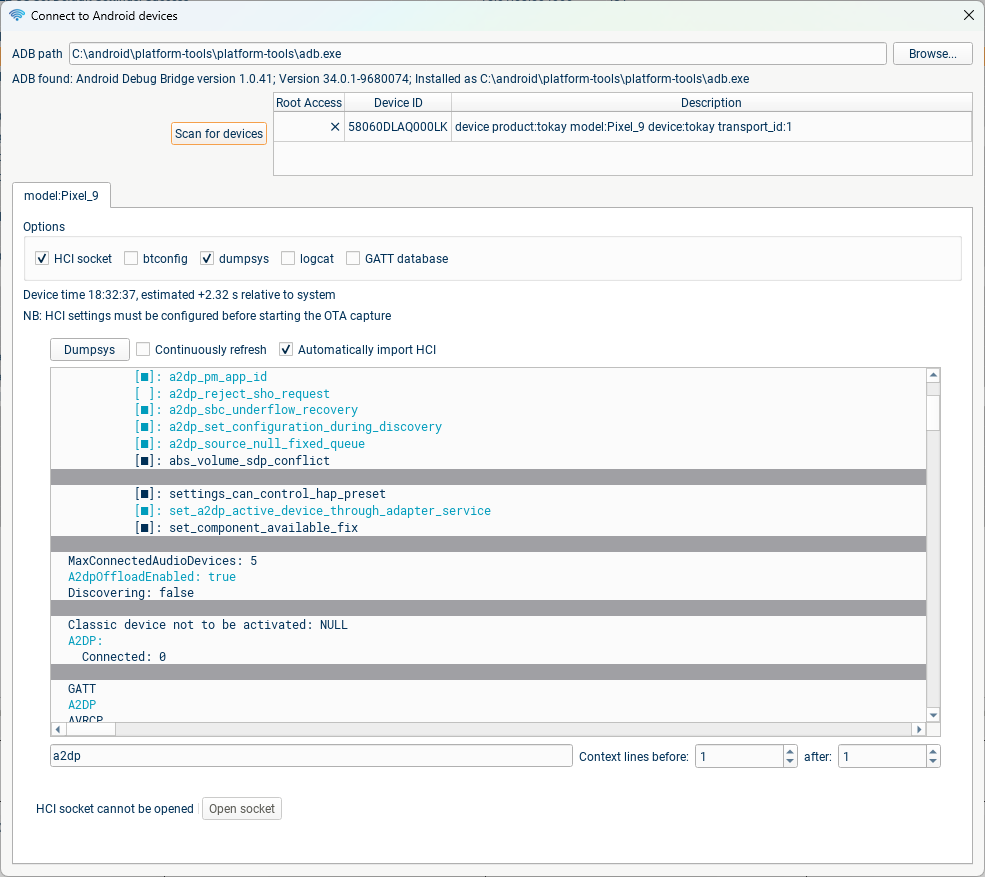
If you have an Android device connected to your computer and can access it over ADB, blueSPY provides various integrations and tools to improve your debugging/testing experience. Many of the tools require root access to the Android device, but some of them are possible without root access; exactly which tools will work appears to be dependent on both the Android major version, and on the device manufacturer.
HCI socket
This works with rooted devices, and without root on some (older?) Android versions. HCI logging must be enabled in the Developer Options menu of the Android device. The HCI socket should be opened before pressing Capture in blueSPY; any HCI messages which arrive between opening the socket and starting the blueSPY capture will be added at the start of the capture, and then HCI messages will be added to the capture as they arrive.
btconfig
This requires root. The bt_config.conf file will be regularly pulled from the Android filesystem, and keys can be automatically imported into blueSPY.
dumpsys
This doesn't require root; you can continuously run this command to update the dumpsys, and you can use the textbox at the bottom to filter for particular strings. On some devices, a base64-encoded dump of recent HCI messages appears as part of this log; if this dump is present, then blueSPY can import the HCI live into an ongoing capture.
logcat
This can be used to read logs from the Android system, using whichever filters you prefer.
GATT database
This requires root. The stored GATT databases can be pulled from the Android filesystem and imported into blueSPY, allowing decoding of ATT attributes even if the initial GATT discovery process wasn't captured.